Action Log.
Mail Shepherd 3.0 (build 454) · Updated October 21, 2026
The Action Log lists what Mail Shepherd did, newest first (the latest 500 entries): each message it changed in Mail, each change to your lists, and every problem. Each row shows the date and time, the action, the sender, the subject and the details. Before each delete, the message is written to the log, so even an interrupted delete leaves a record.
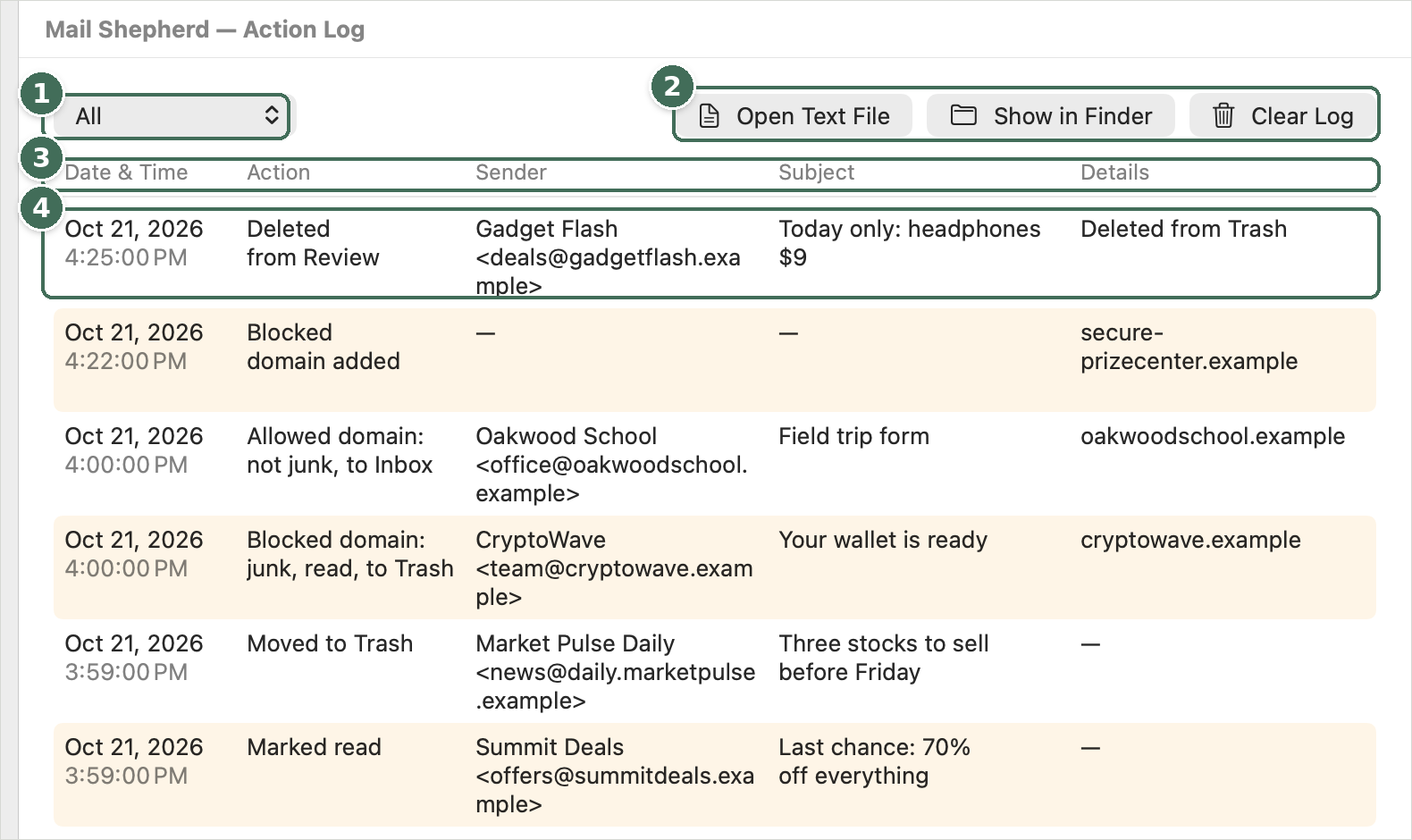
- Shows every entry, or one kind of action.
- Open Text File and Show in Finder open the weekly text files; Clear Log empties the log.
- Columns: time, action, sender, subject and details. Right-click a column header to show more.
- Click a row to see all of its fields in full, with Copy.
- The menu shows All entries or Problems Only: problems, changes Mail didn’t confirm, and stopped Sweeps.
- Click a row to see all of its fields in full, including the mailbox, when the message was sent and received, and Mail’s message ID. Copy copies them all, for example to send to support; Done (Esc) closes it.
- Open Text File opens this week’s log file, and Show in Finder shows the log folder. The history is kept in weekly files on this Mac for 12 weeks; the Auto-Sweep log and each month’s Sweep statistics are kept beside it.
- Clear Log moves the log and its weekly files to the Trash, where you can still restore them, and starts an empty log.
Clicking a row opens all of that entry’s fields:
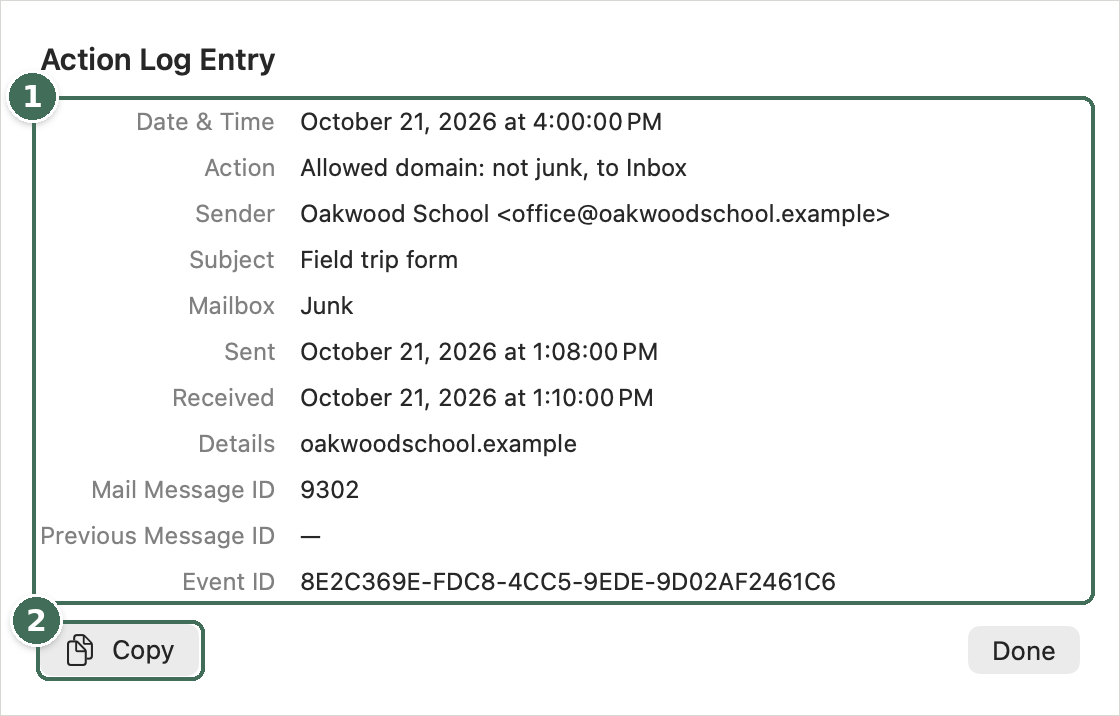
- Every field of the entry in full. Select text to copy part of it.
- Copy copies all of it, for example to send to support.
Warning icons
Mail Shepherd doesn’t show alerts or completion messages. When something you did, or an Auto-Sweep, runs into a problem, the problem is added to the Action Log and the page shows an orange warning icon, for example beside Sweep or in a Review page’s footer. Point at it to read the problem; click it to open the Action Log.
Crash reports
If Mail Shepherd crashes, macOS gives it a crash report, usually the next time it opens. The report is added to the Action Log as “Problem: Mail Shepherd crashed”, so a support log includes it. Nothing is sent anywhere unless you send the support log yourself.
Was this page helpful? Tell us.