Blocked Senders.
Mail Shepherd 3.0 (build 454) · Updated October 21, 2026
Blocked Senders lists every blocked address in one list: the senders on Mail’s blocked list, and those on Mail Shepherd’s own list, which Block Sender on a message’s details adds to. A Sweep, the Review pages and the delete buttons treat both alike. A sender you block or unblock in Mail shows here within seconds.
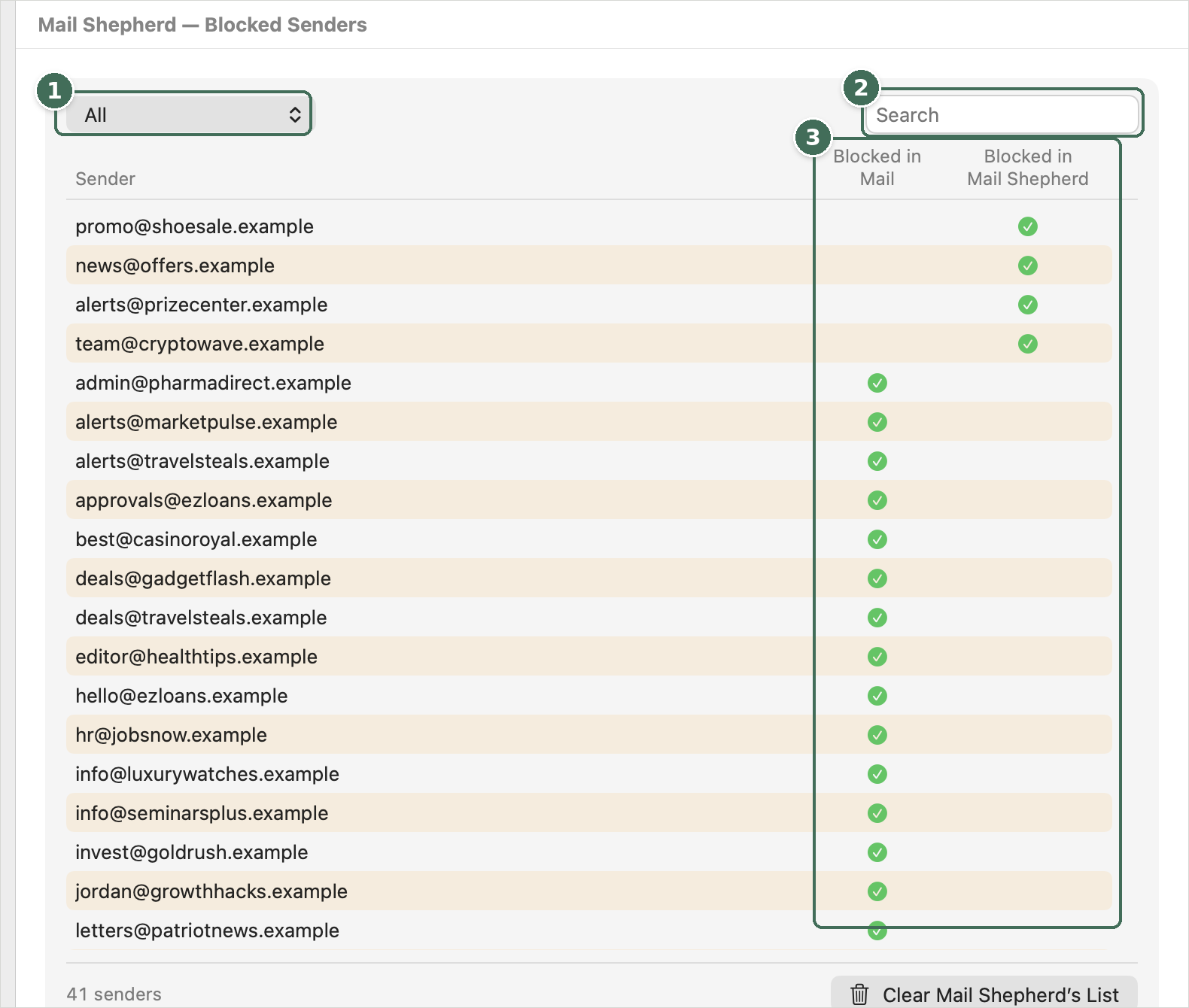
- Shows all blocked senders, or only those in Mail, in Mail Shepherd, or in both, with counts.
- Search by address.
- Where each address is blocked: Blocked in Mail and Blocked in Mail Shepherd.
- The columns are Sender, Blocked in Mail and Blocked in Mail Shepherd; a green check shows where each address is blocked. Mail Shepherd’s entries come first, newest first, then Mail’s, A to Z.
- The menu shows All, In Mail, Mail Shepherd Only or In Both, each with its count. The search box filters by address or name; its × clears it. The footer counts the senders shown.
- Click a row to see where the sender is blocked. ↑ and ↓ move through the list; Done (Esc) goes back to it.
- Blocked in Mail shows the address, with a button to copy it, and whether Mail blocks it. Mail’s list can only be changed in Mail: Open Mail’s Blocked List… opens Mail → Settings → Junk Mail → Blocked (with Accessibility; without it, Mail opens and Mail Shepherd tells you where to look), where + adds an address and − removes the selected one.
- Blocked in Mail Shepherd shows the sender’s address, its parent domain (such as shop.example) and its exact domain (such as news.shop.example), each with Turn On Blocking or Turn Off Blocking. The address is on Mail Shepherd’s Blocked Senders; the domains are on Blocked Domains, where a domain also covers its subdomains. Changes take effect at once and are recorded in the Action Log; the next Sweep handles the sender’s mail. Shared email providers can’t be blocked as a domain: click ⓘ to see why. Turning blocking on needs Contacts access.
While Mail’s blocked list is being read, the list shows a spinner. If the list can’t be read, an orange banner says so, with Open Setup, and the list shows Mail’s senders as of the last time Mail Shepherd could read them, when it has that copy.
Mail’s blocked list syncs to your other devices like any block you make in Mail. Mail Shepherd’s list is kept on this Mac only.
Was this page helpful? Tell us.