Review Junk.
Mail Shepherd 3.0 (build 454) · Updated October 21, 2026
Review Junk lists the rest of your junk: messages in Junk, and messages in Trash that Mail has marked junk, that aren’t from a blocked sender, a Blocked Domain, an Allowed Domain or one of your contacts. After a Sweep, that’s mostly the junk it moved to Trash. Each row has an eye with an orange triangle beside its first line.
Watch: Blocking a domain from a message’s details (0:34)
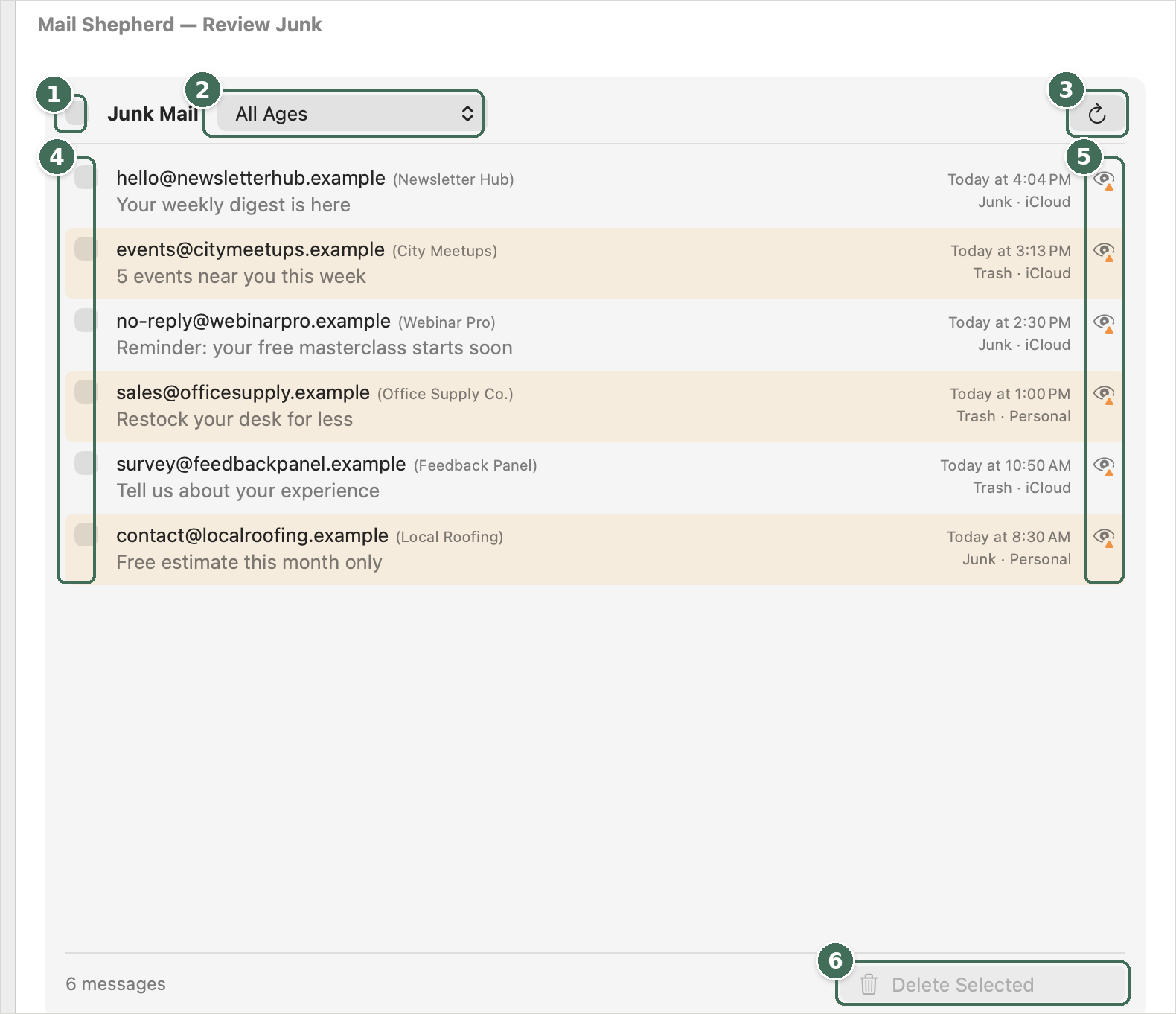
- Selects or clears every message.
- How old the junk shown is.
- Refresh reads Junk and Trash again. While it reads, it becomes Stop.
- Checkboxes select messages; click anywhere else on a row to see its details.
- The junk icon: junk that isn’t from a blocked sender or domain.
- Delete Selected deletes the checked messages after you confirm.
- The header has a checkbox that selects all or none, the title Junk Mail, an age menu (All Ages, More Than 1 Day Old, More Than 3 Days Old or More Than 5 Days Old, each with its count) and Refresh.
- Click a row to see its details, where you can block its sender or domain, move it to the Inbox, or add the sender to Contacts.
- Refresh and Delete Selected work as on Review Blocked. Only messages still junk, and not from a blocked sender or domain, are deleted.
A message shows on one Review page at most: if its sender or domain is blocked, it’s on Review Blocked. Both pages share one read of Junk and Trash, so switching between them is quick; after a Sweep they’re read again.
Was this page helpful? Tell us.